ShopifyInstall Pristine from the Shopify App Store. Every feature is free during the open beta.Install on Shopify
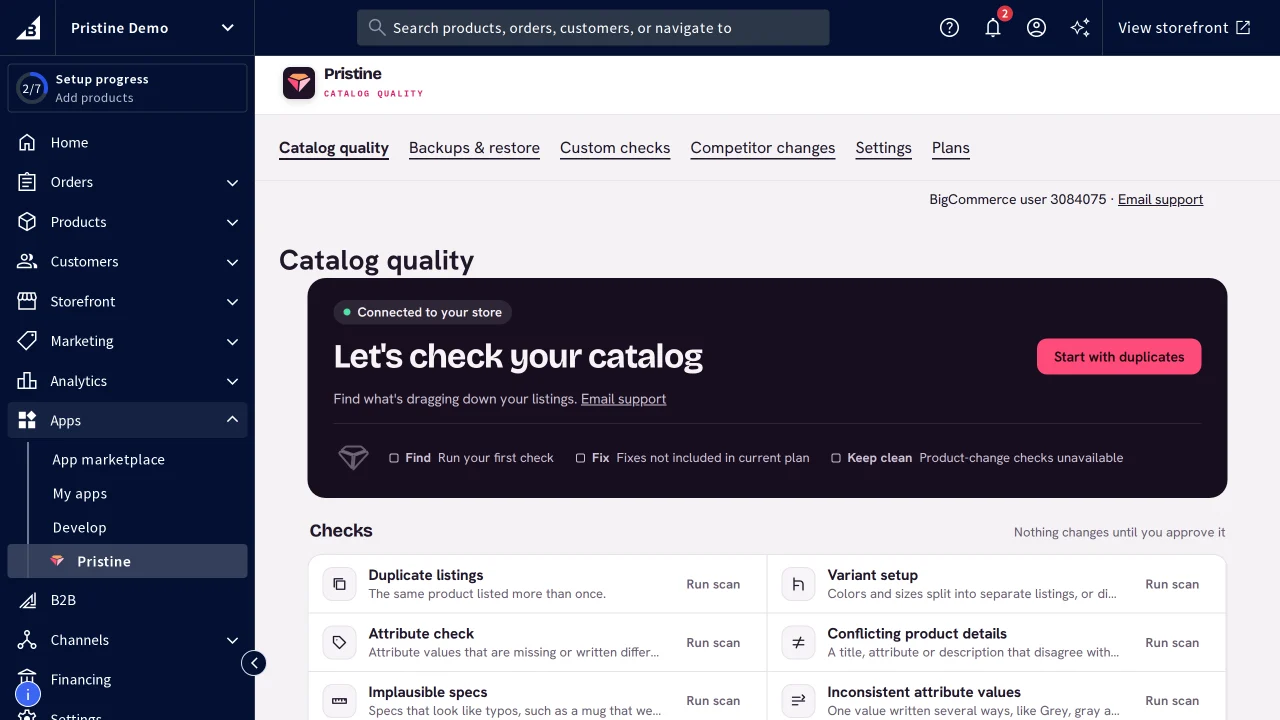
BigCommerceInstall from the BigCommerce listing and open your store. Free during the open beta.Install on BigCommerce
Pristine accountSign up with Google, then import your catalog. Free during the open beta. Want help setting up? Tell us about your store.Sign up with Google
Find it. Fix it. Keep it clean.
Three jobs, one app inside your Shopify admin. Try each step below with real screens from a demo catalog.
Explore the findings. Try a fix. See how to undo it.
01Find
Find what's dragging down your listings.
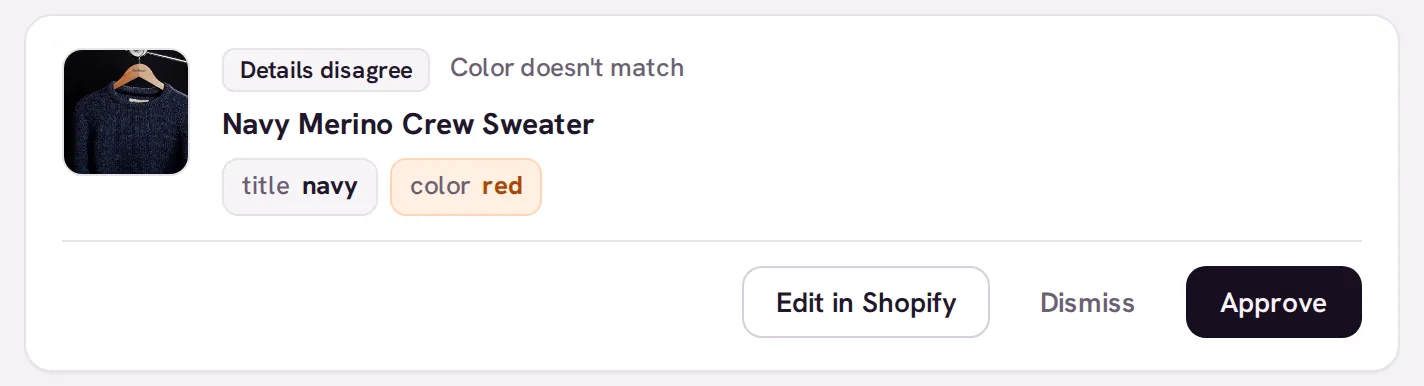
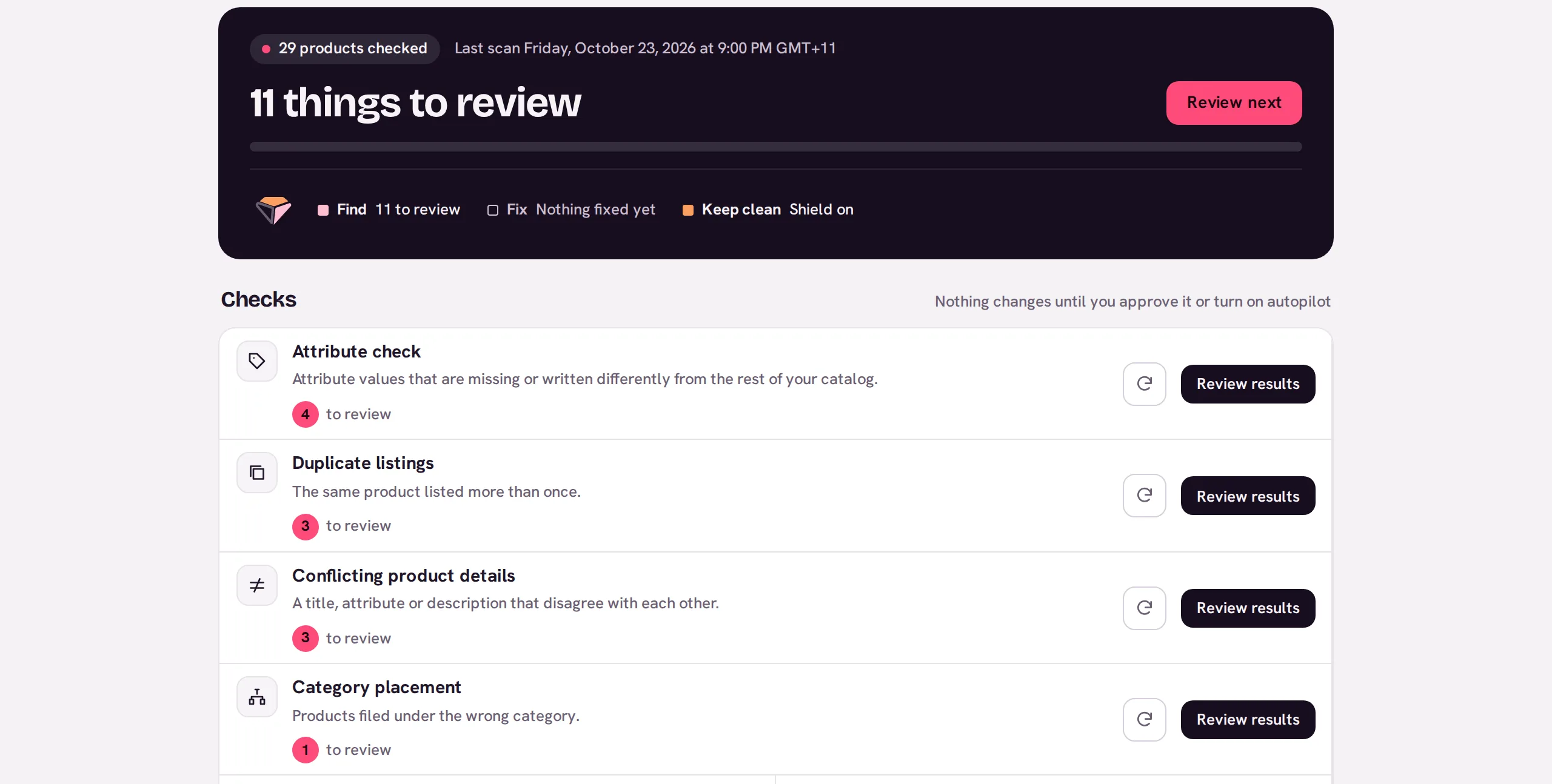
Run a check from your dashboard. Findings appear while the scan runs, each with the products involved and the reason, so you can start reviewing before it finishes.
Everything waiting for youFindings for each check
Find what needs attention across your catalog.
Find what needs attention across your catalog.
02Fix
Fix it in one click, undo in one too.
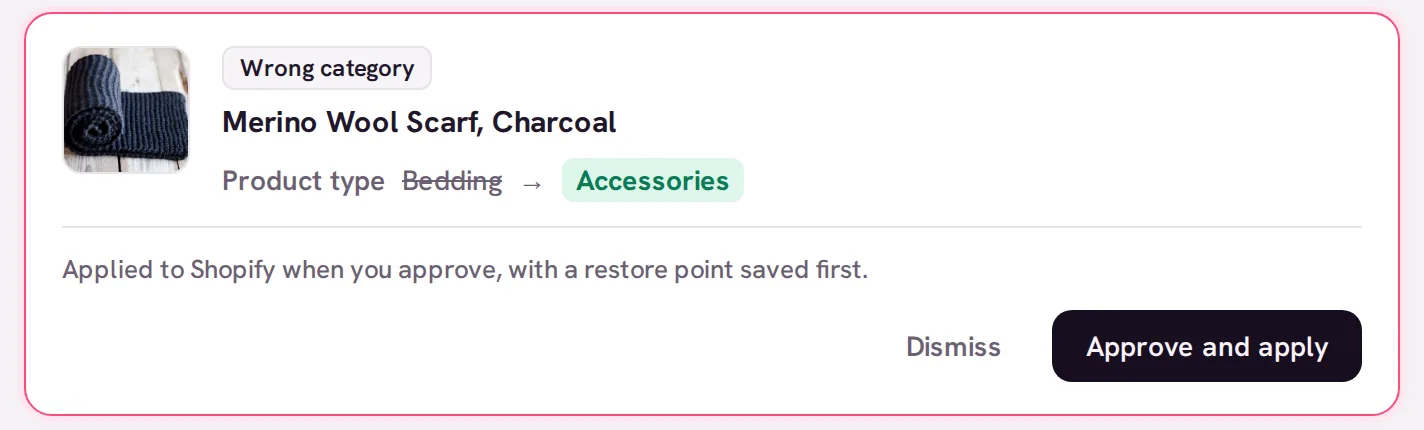
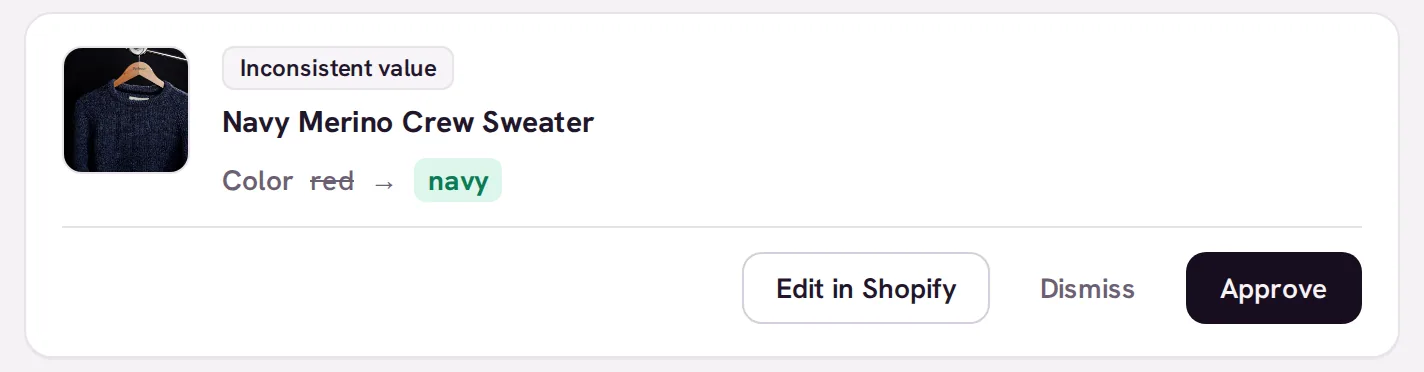
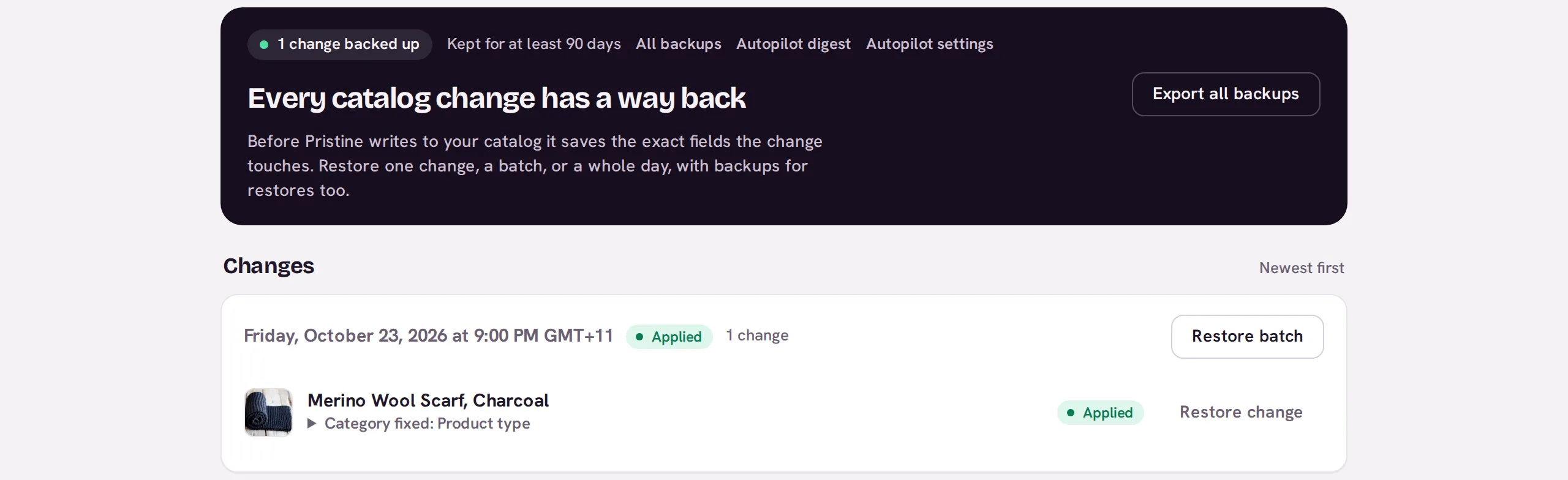
Approve a fix to a value, a category or a duplicate and Pristine applies it to Shopify, saving the old values first. Merging two listings archives one and redirects its URL. Undo any change from Backups.
Try the fix. This demo changes no store data.
Undo from here
Restore an individual change or its whole batch.
Approve an exact fix with a restore point saved before the change.
03Keep clean
Keep it clean with automatic scanning.
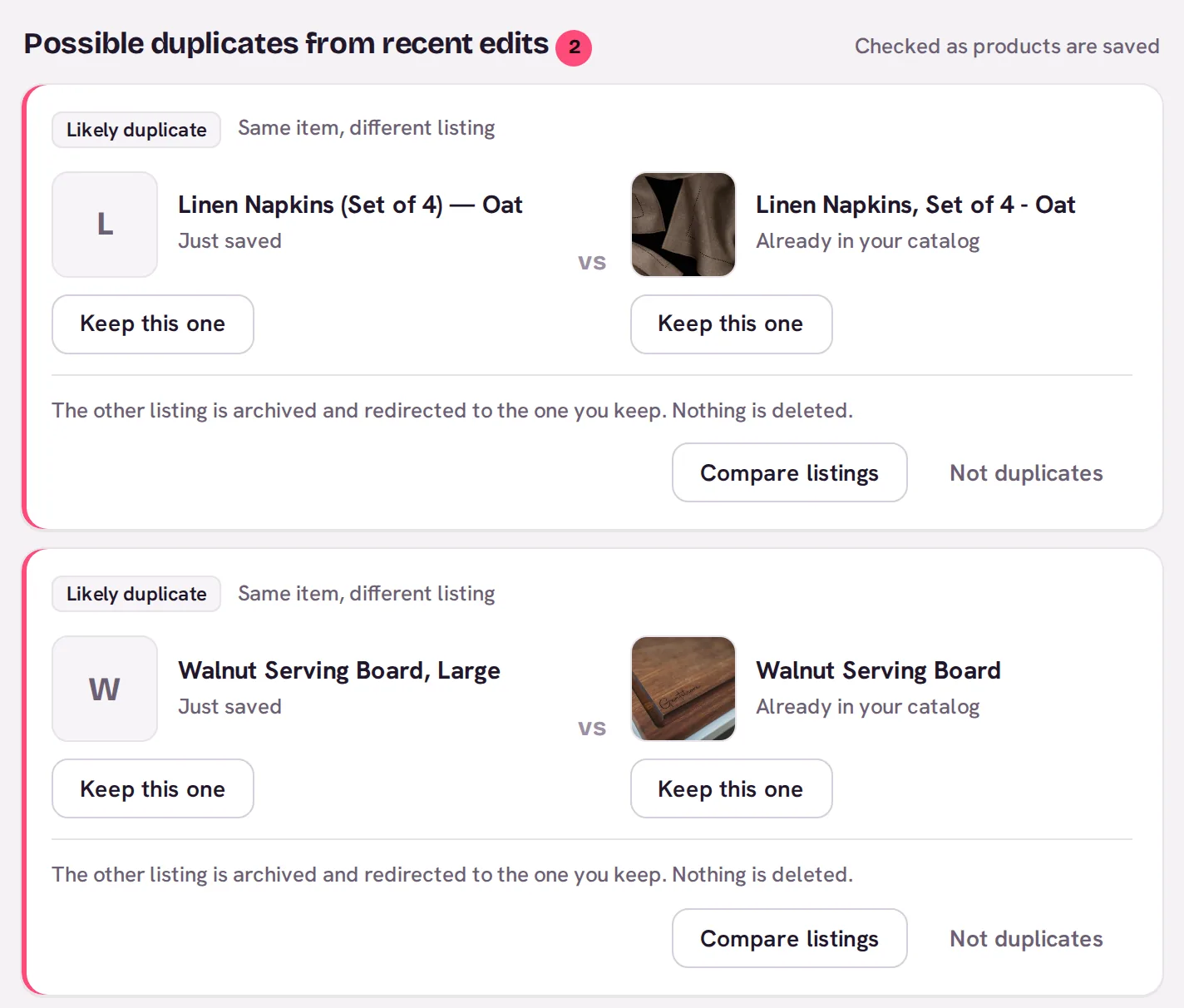
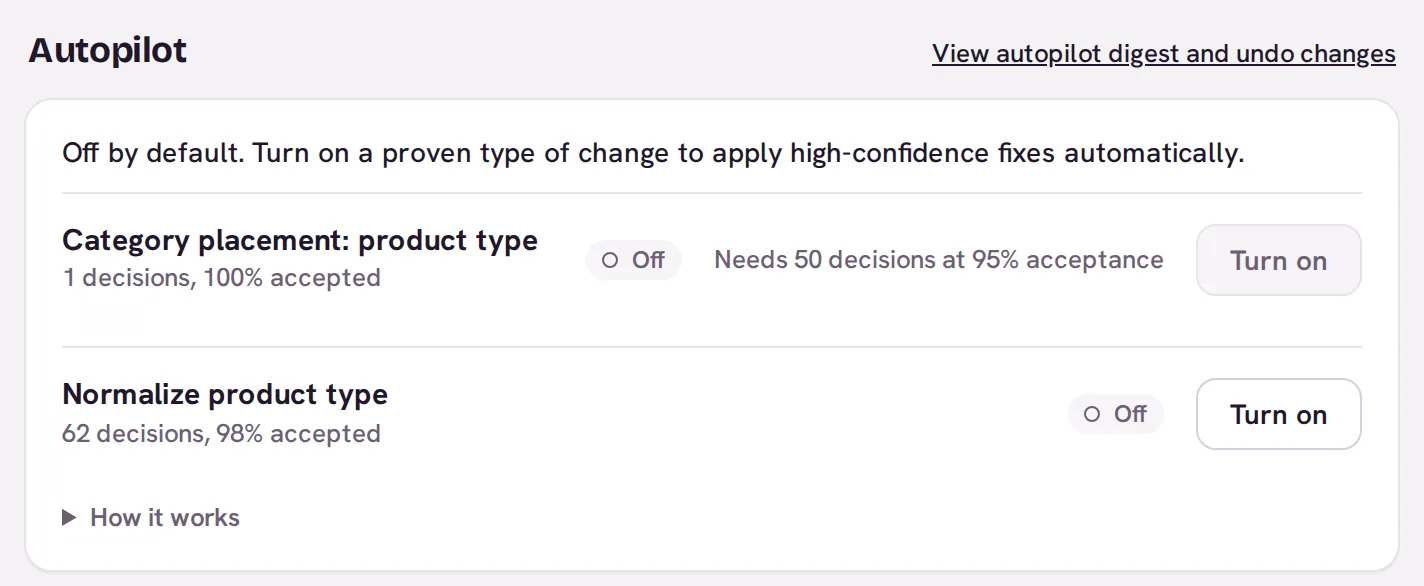
Shield checks each product for duplicates as it's saved, and rescans your catalog weekly or monthly, within your scan limits, once you turn that on. When a type of fix has proven itself on your catalog, you can switch on autopilot for that type alone.
Catch possible duplicates as products are saved.
Catch possible duplicates as products are saved.
18 checks in one app
Each one looks for a problem you already know about. Most run on the catalog you already have, with nothing to set up. Hover, focus or tap any check for details or an example.
One listing for every product
Duplicates and variants
Listings that agree with themselves
Accurate listings
Complete attributes, filed in the right place
Attributes and categories
Products Google accepts and shoppers find
Sales channels and search
Your prices and range next to a competitor's
Competitors
Your house rules, checked on every product
Your own rules
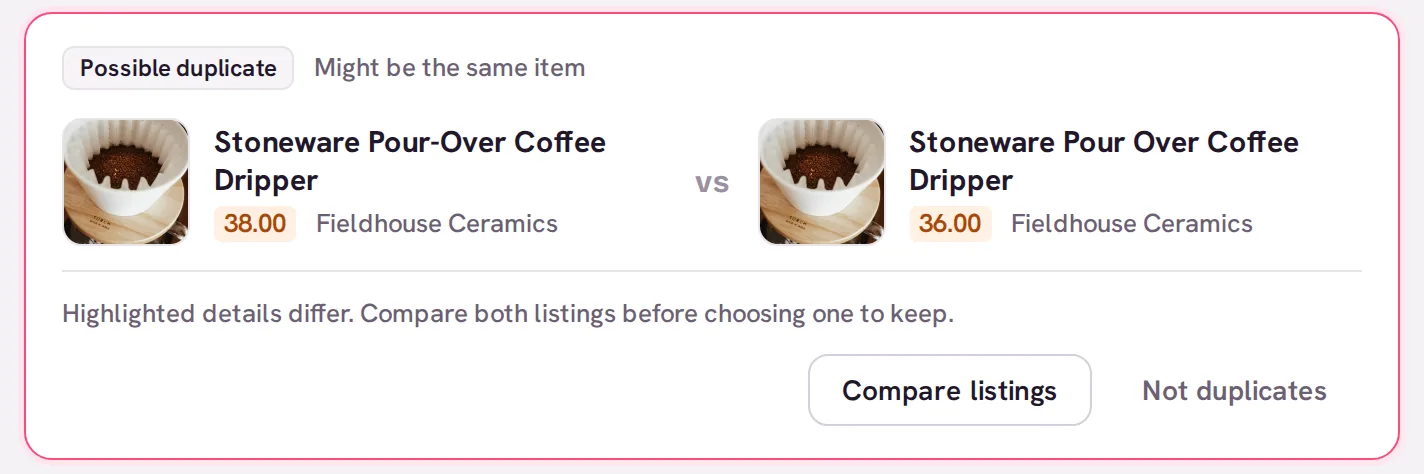
Duplicate listings · Example
Demo catalogExample finding
Same mug, two listings
Listing A
White ceramic mug · 350 ml
Listing B
Ceramic coffee mug · White · 350 ml
Suggested fix
Keep one listing and archive the duplicate, with a redirect.
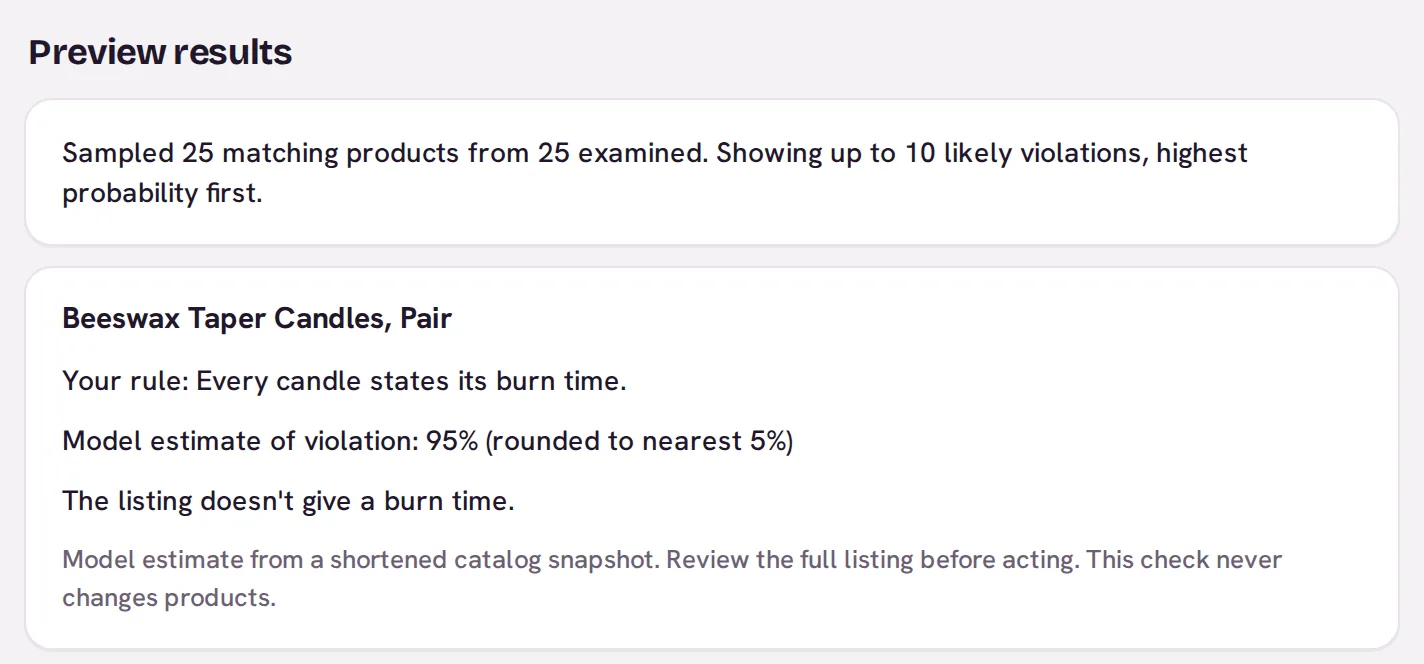
Something specific to your store? Write the rule.
Describe it in plain English, like "every candle states its burn time". Preview it on your catalog before you save it, and it runs with the rest.
Send us your store's address. We'll run Pristine's checks on a sample of your catalog and send you a private report of what we found, with the evidence for each finding.
Private catalog demoExample
Demo catalog · sample of public products
Duplicate listings
Same mug, two listings
Keep one listing and archive the duplicate, with a redirect.
Implausible specs
Ceramic mug
This weight looks implausible. Check the value and unit.
Inconsistent attribute values
One color, three spellings
Grey. Use the same spelling for values that mean the same thing.
Illustrative findings from a demo catalog. Your report shows what Pristine finds in your own products, and says what a sample can't tell.
1.Tell us where your store is
Your work email and your store's web address. No install, no card, no access to your store.
2.We check a sample of your catalog
On Shopify, we read the products your storefront already shows the public. On BigCommerce or another platform, we'll ask you for a product export instead.
3.You get a private report
Specific findings from your own products, on a private page only people with the link can open. Nothing in your store changes.
Nothing changes until you say so.Everything has a way back.
Letting software near your catalog shouldn't be a leap of faith. These promises gate what we ship.
Undo a change or a batch
Restore an individual change or its whole batch.
Every change is restorable
Before Pristine changes a field, it saves exactly what was there. Undo one change, one batch, or one day from the app.
Merges never delete
A duplicate is archived and its URL redirects to the listing you keep. Pristine never deletes a product.
You choose when Pristine changes your store
Every finding is a suggestion. Your store is only edited when you approve a fix or turn on autopilot for that kind of change, and every decision is logged with who made it.
Autopilot has to earn it
Auto-approval is off until a change type has proven itself on your own catalog, and it demotes itself back to suggestions if you start undoing them.
Uninstalling is one click. It takes our access with it and leaves your backups exportable.
Get started for free.
Start on any platform with no card. Run your first checks and see every finding with its evidence.
Email marketing for small stores and community organisations. Free during the beta: 5,000 contacts and 20,000 emails a month per account. That's about one email a week to every contact.