Check a catalog export from any platform
Upload a CSV
Upload a product export, match its columns and open Catalog quality. Works for any platform, feed or spreadsheet.
Prepare the file
Export your products as a UTF-8 CSV. Pristine needs a unique product ID and a title for each row; empty titles and missing optional fields can still be checked. It recognizes id, sku, handle or item_id, and title, name or product_name.
Up to 1,228 products and 5 MiB per uploaded catalog. If your catalog is larger, agree a smaller scope with us before uploading.
Upload catalog information only. Remove customer, order, payment or other personal information first.
Upload and open the catalog
Sign in to Pristine
Go to my.pristinecommerce.shop and choose Continue with Google. Your account is created the first time you sign in.
Choose Connect a catalog → Upload a catalog
Name the catalog, choose the account it belongs to and choose the CSV file.
Upload and open catalog
Pristine imports the file and opens the catalog. Files that aren't accepted aren't saved.
Match the columns if asked
If Pristine doesn't recognize your headers, it asks which column holds each product field. Choose them, choose the file again and select Upload and open catalog again.
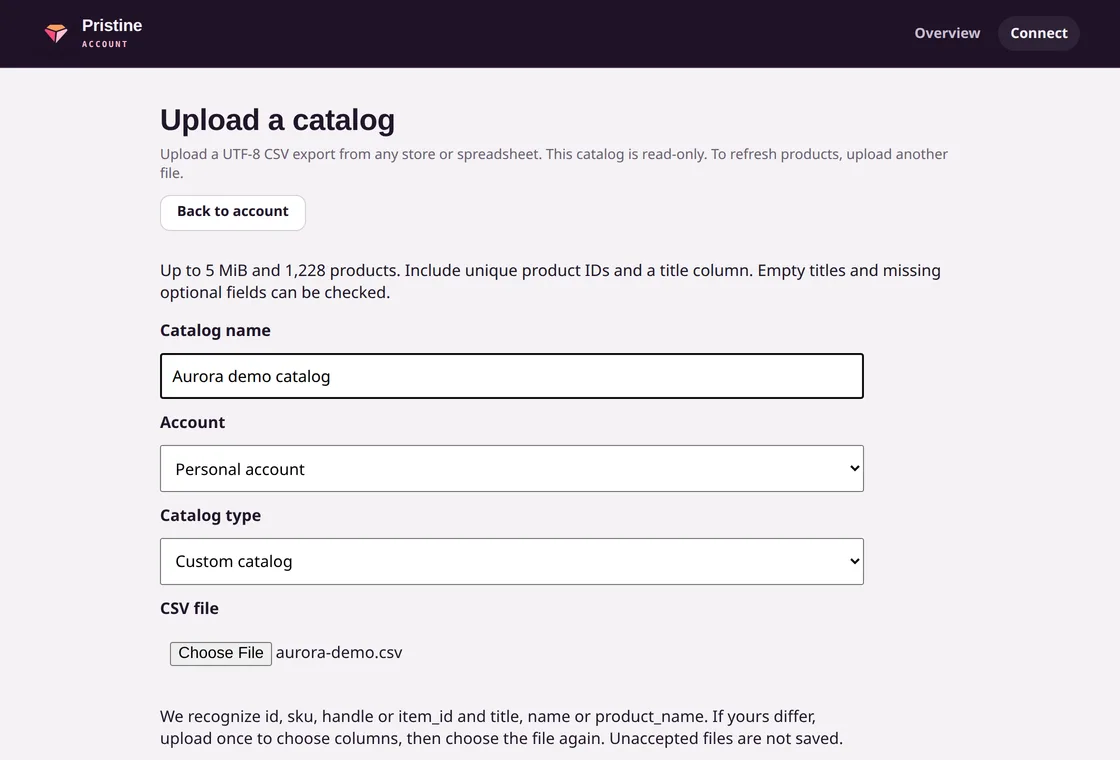
Upload the CSV to your Pristine account. We help map your export during the beta. These exports are not imported automatically: column names and variant rows may need preparation, including rows that repeat a parent product ID. Up to 1,228 products and 5 MiB per uploaded catalog. If your catalog is larger, agree a smaller scope with us before uploading.
You're on Catalog quality
After the upload, Pristine opens the catalog. Open the catalog to reach Catalog quality. Choose Run all checks to start the checks that are ready, or Run scan beside a single check. Getting started explains what happens next.
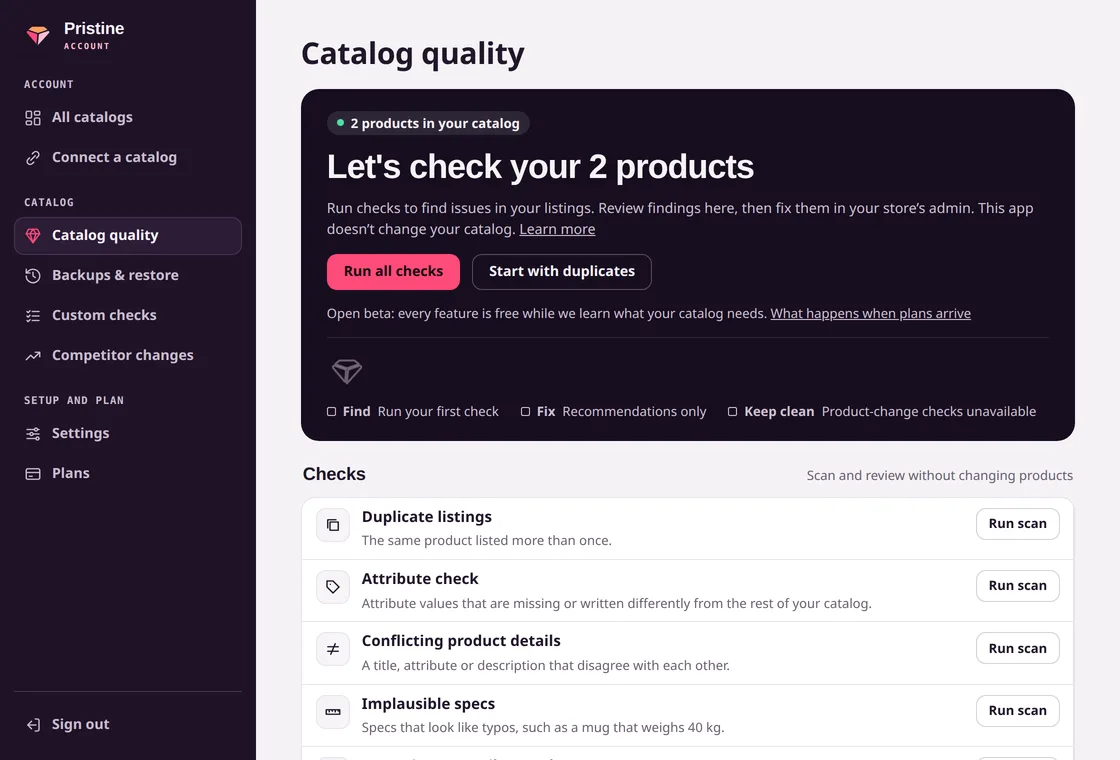
A demo catalog with two products. The left menu has Backups & restore, Custom checks, Settings and Plans for this catalog.
Check again after changes
An uploaded catalog is a copy. When your products change, choose Replace file or map columns on the account overview, upload the new export and run checks again.
What it costs
Pristine is free during the open beta, within your catalog's usage credits. There's nothing to pay and no paid upgrade while the beta runs. We'll tell you before paid plans start; your findings and history stay.