Know what Pristine reads and keeps
Data and privacy
Your product details, your decisions and your restore points. Here's what happens to each.
What Pristine reads
Pristine reads your product titles, descriptions, vendors, product types, prices, barcodes, SKUs, attributes, variants, and image and storefront links. If you connect reviews or a competitor, it reads that data too. It never requests access to your customers, orders or payment details.
If you upload a catalog file, Pristine keeps that file, including any columns you have not mapped, and the product records created from it. Upload catalog information only and remove customer, order, payment or other unnecessary personal information first.
What Pristine keeps
Pristine keeps a copy of the product fields above, findings, your decisions and who made them, connection settings, and the old field values and redirects needed to restore changes.
Product details are sent to our AI provider only to produce findings and to answer your questions in the in-app chat. Product analytics record which features are used, never your product content.
If you use the chat, Pristine keeps each conversation until 90 days after its last message, so you can pick up where you left off.
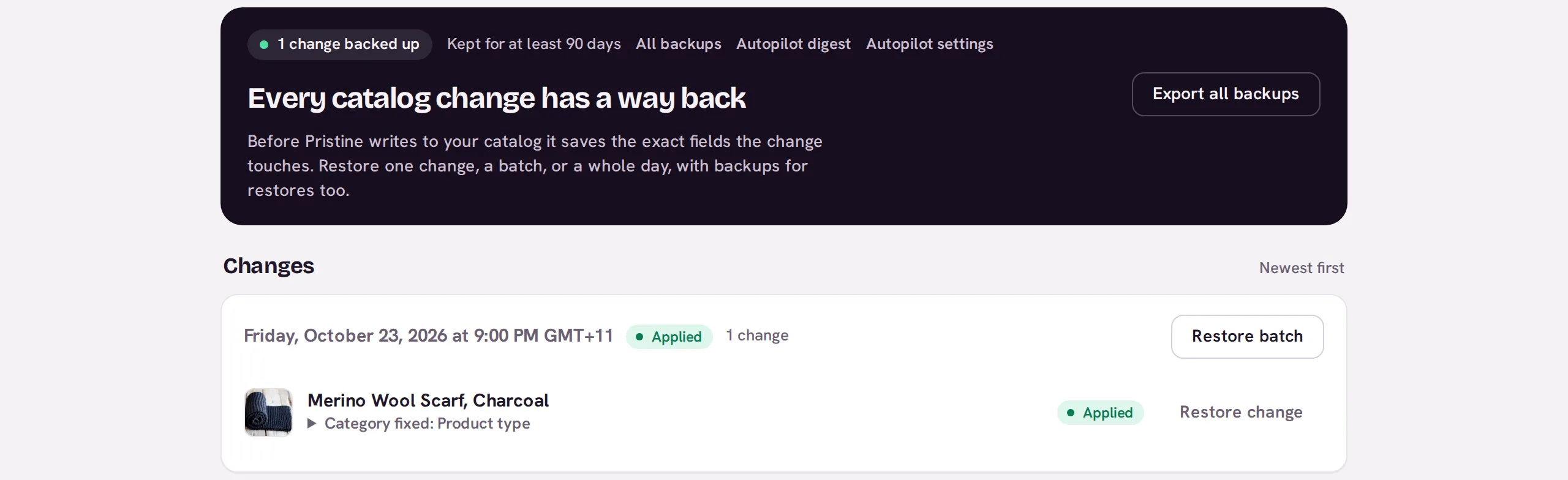
Example: the demo scarf's old product type is saved before the fix. Backups & restore gives you a way to reverse the change, and export is available on every plan.
Before you uninstall
Export what you need
Backups, undo, restore and export remain available on every plan, including Free.
Understand what uninstall removes
Uninstalling revokes our access and removes active catalog data and app settings. Restore points may still be available if you reinstall, depending on the platform and when deletion happens.
Understand retained copies
Contact support to request deletion of retained store data. Separate recovery backups expire on their own schedule. See the Privacy Policy for details.