Import a Magento storefront view
Connect Magento / Adobe Commerce
Pair the Pristine Commerce module with the Pristine web app, import a storefront view and run your first checks, or upload a CSV export.
Before you start
If you already have the Pristine Commerce module, install it and pair a storefront view for read-only import and manual refresh. Supports Magento Open Source and Adobe Commerce on-premises or PaaS. Marketplace distribution is pending. You can start with CSV today.
Pair your store
Sign in to Pristine
Go to my.pristinecommerce.shop and choose Continue with Google. Your account is created the first time you sign in.
Choose Connect → Magento / Adobe Commerce
Enter your store's base URL and the store-view code you want to check, then choose Get connection code.
Paste the code in Magento
In Magento admin, open Catalog → Pristine Commerce for the same storefront view and paste the one-use code. It expires in ten minutes. Then choose Connect with read-only access.
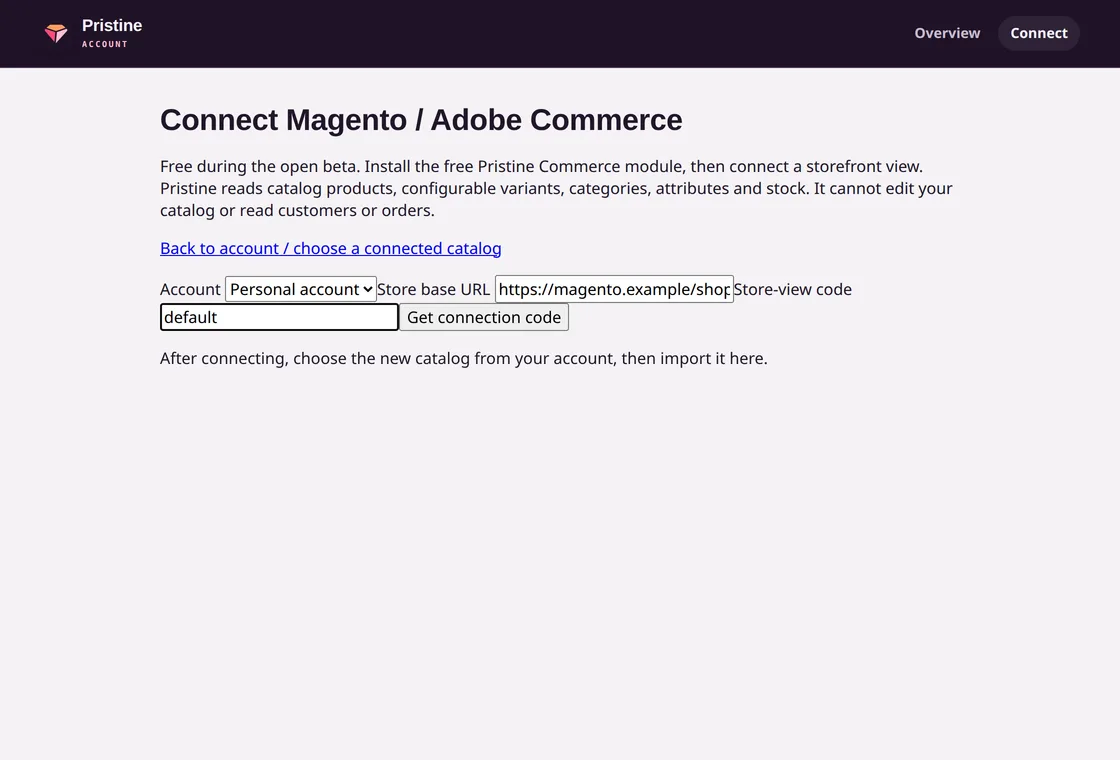
Pristine reads catalog products, configurable variants, categories, attributes and stock. It can't edit your catalog or read customers or orders.
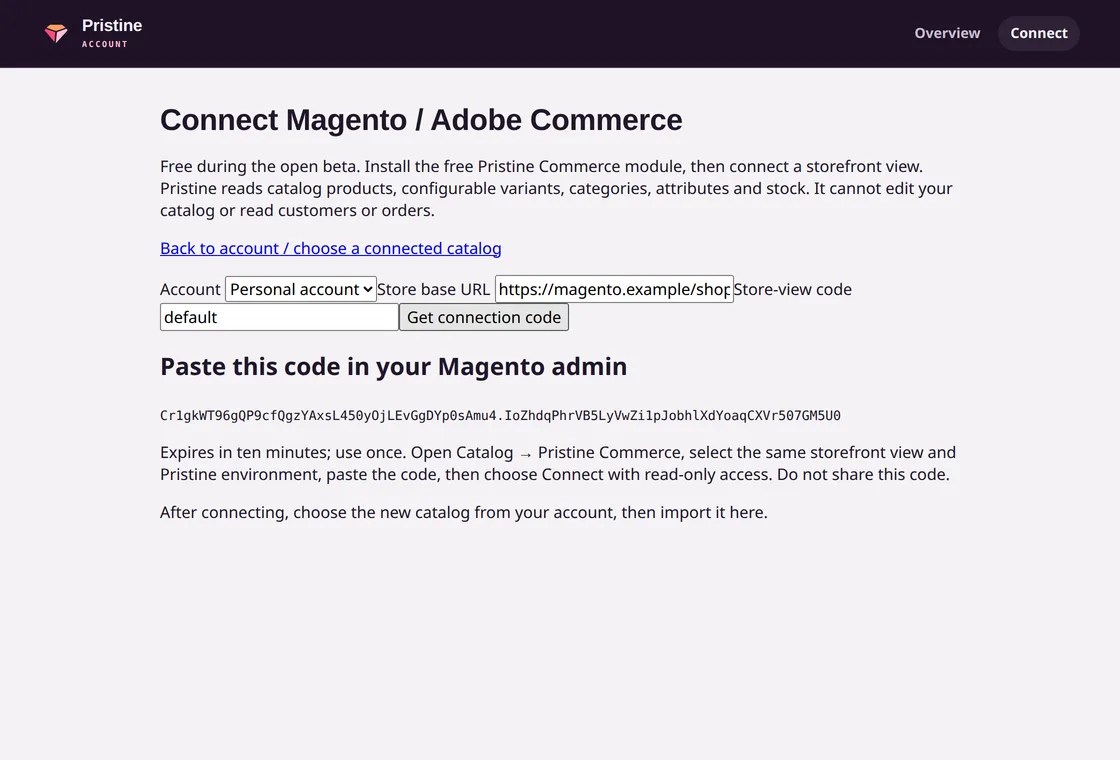
Don't share the code. If it expires, get a new one.
Import the storefront view
Back in your Pristine account, select the connected view and choose Import / refresh catalog. Refresh is manual: import again when you want to check updated products.
You're on Catalog quality
Once the import is ready, the storefront view appears in your account as a catalog. Open the catalog to reach Catalog quality. Choose Run all checks to start the checks that are ready, or Run scan beside a single check. Getting started explains what happens next.
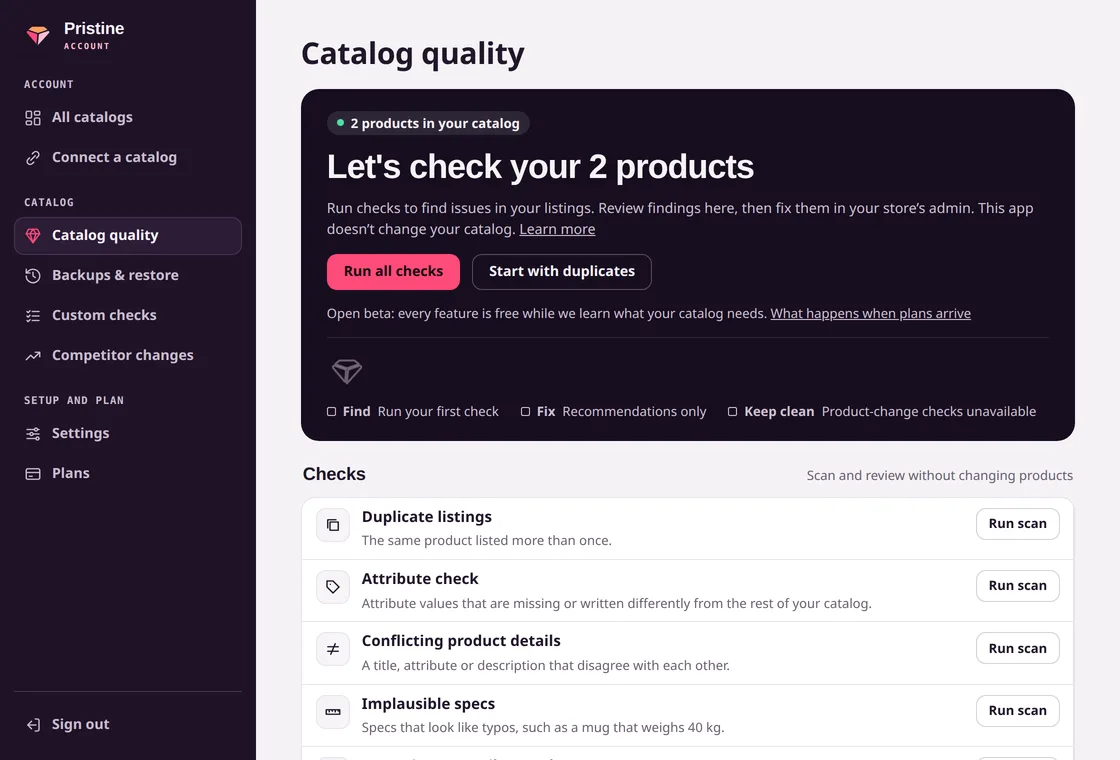
A demo catalog with two products. The left menu has Backups & restore, Custom checks, Settings and Plans for this catalog.
Start with a CSV instead
Go to System > Data Transfer > Export, set Entity Type to Products and choose CSV, then Continue. Download the completed export. We help prepare store-view and configurable-product relationships.
Upload the file as described in the CSV upload guide.
What's included on Magento
Included
- Catalog checks with evidence for every finding
- Custom checks written in plain English
- Read-only product import and refresh from your store
Not available yet
- Fixes written back to your store
- Duplicate merges
- Shield on-save checks
What it costs
Pristine is free during the open beta, within your catalog's usage credits. There's nothing to pay and no paid upgrade while the beta runs. We'll tell you before paid plans start; your findings and history stay.